

Demand Gen campaigns now include promotion assets for YouTube Shorts and YouTube in-stream ad formats, following an update to Google’s documentation. This gives advertisers another way to highlight discounts and special offers directly within video ads.
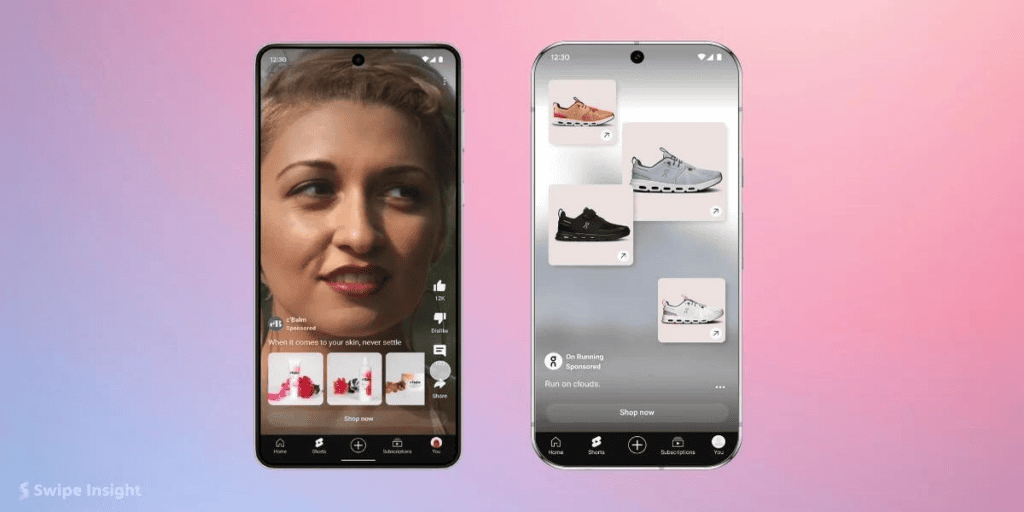
Previously, Demand Gen advertisers could run video and image ads across YouTube and other Google platforms. Promotion assets were not listed as supported for YouTube Shorts and in-stream formats within Demand Gen campaigns.
With this update, advertisers using a Google Merchant Centre product feed can use promotion assets to display discount tags in both YouTube Shorts and YouTube in-stream ad formats.
What Are Promotion Assets in Google Ads?
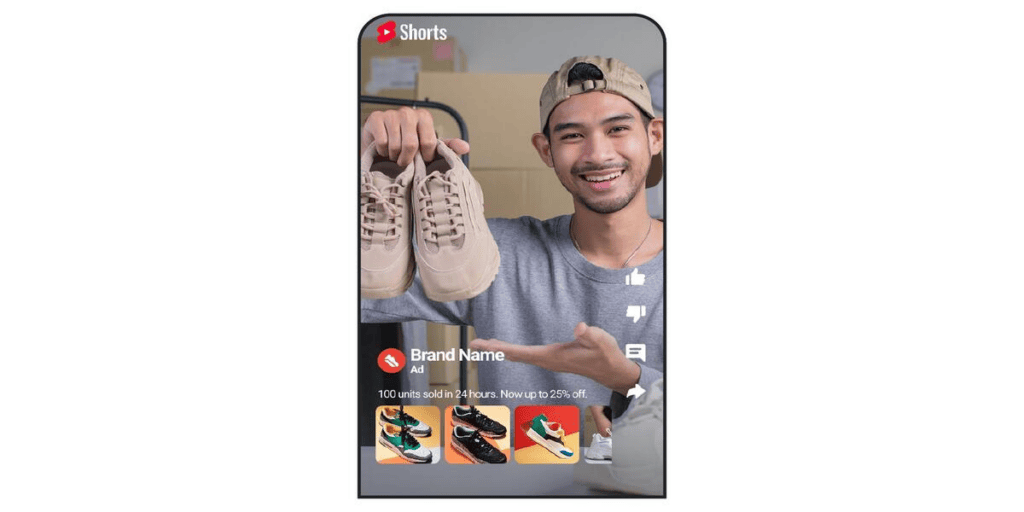
Promotion assets are information that advertisers can use to highlight special offers in advertisers’ ads, such as
- 20% off selected products
- Up to 50% off
- Black Friday discounts
- Special festive offers
These details help customers notice available deals while viewing an advertisement.
Which YouTube Ad Formats Are Supported?
According to Google’s updated documentation, the following formats are eligible for promotion assets in Demand Gen campaigns
1. YouTube Shorts
Demand Gen advertisers can use promotion assets to highlight discounts in Shorts ads, giving viewers an opportunity to notice an offer while watching short‑form videos.
2. YouTube In-Stream Ads
Promotion assets are also supported in YouTube in‑stream ad formats, allowing advertisers to highlight offers while ads appear before, during, or after eligible YouTube videos.
Important Eligibility Requirement
Promotion assets are not available for every Demand Gen campaign.
Google specifically states that this feature is available for Demand Gen campaigns that use a product feed from Google Merchant Center, and advertisers running Demand Gen campaigns with only image or video assets and without a Merchant Center product feed are not included in this eligibility requirement.
How to add a promotion asset for Demand Gen campaigns
- Sign in to your Google Ads account.
- Open campaigns and then assets.
- Click the + (Add) button and select promotion
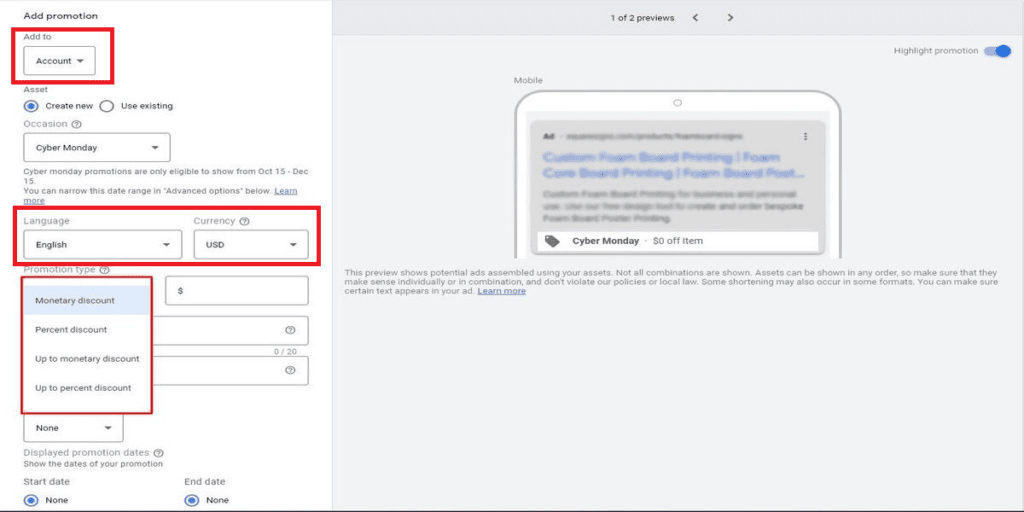
- Choose the account, campaign, or ad group level where you want to add the asset.
- Choose the promotion language and currency.
- Select a discount type, either monetary or percentage.
- Enter the product or service name.
- Add the URL of the promotional offer.
- Enter details like a coupon code or minimum spending requirement.
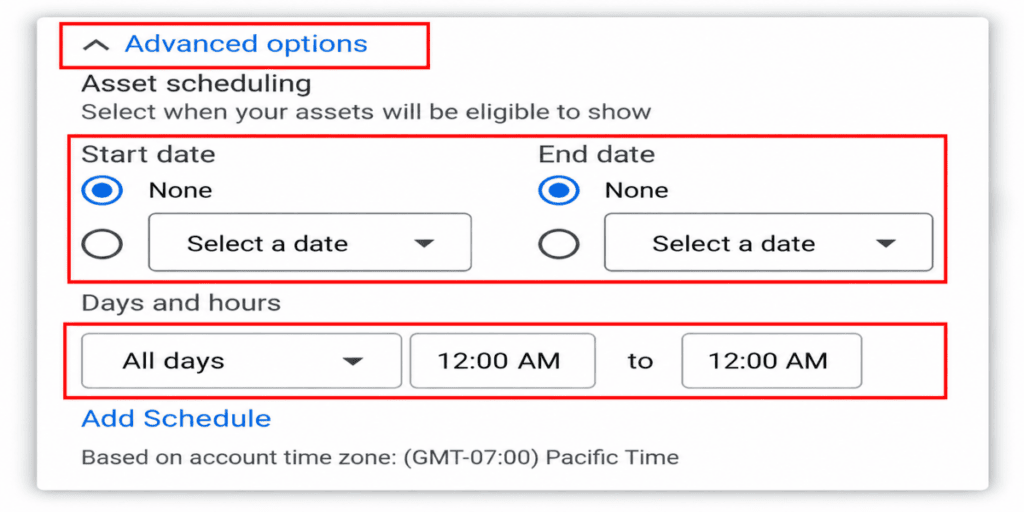
- Set the promotion dates and advanced scheduling options, if needed.
- Click Save.
What Advertisers Should Consider
Retailers planning campaigns or limited‑time offers should check whether retailers’ Demand Gen campaigns use a Google Merchant Center product feed.
If eligible, retailers can review the promotion asset options in retailer accounts and consider using them for upcoming sales.
Advertisers should also ensure that the discount details and offer dates match the information on advertisers’ product pages and websites.
Demand Gen Promotion Assets update gives retailers another opportunity to highlight discounts through Demand Gen campaigns on YouTube Shorts and in-stream ads.
By combining product feeds with promotion assets, advertisers can make their offers more visible in video placements. Give potential customers another reason to consider advertisers’ products.
Want to make your Google Ads campaigns more effective? Connect with the WhiteDigital team to explore smarter advertising strategies and the latest opportunities in Demand Gen campaigns.