
Google Ads campaign performance can be hard when the results change without any changes being made.
When I open the Performance Max campaign and see that spending went up, conversions went down. ROAS changed.
So, what happened?
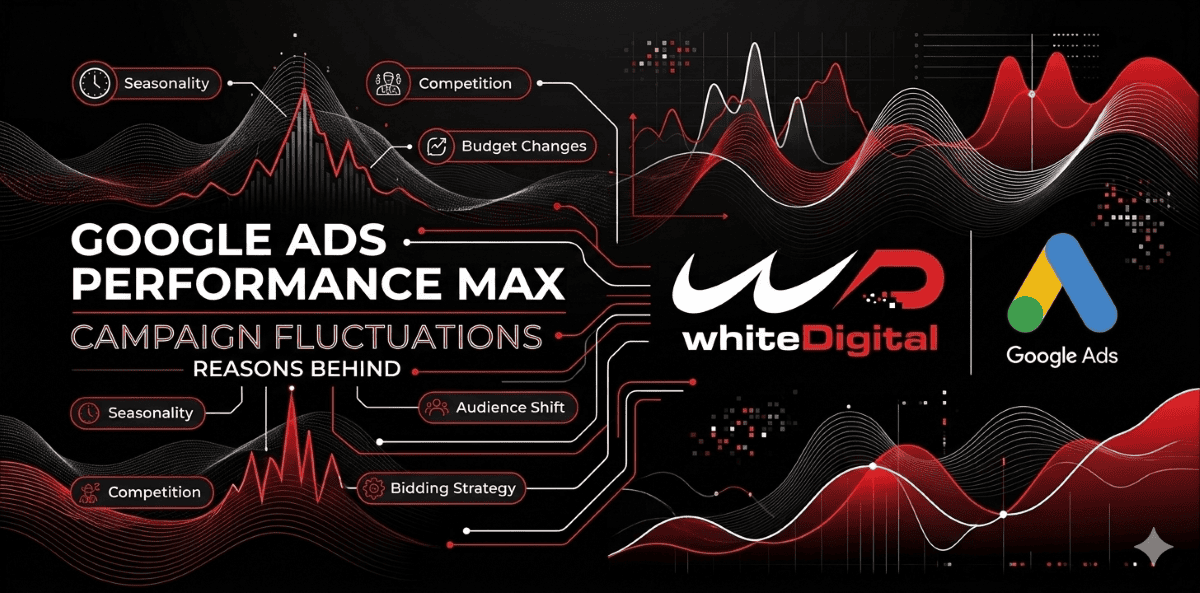
It doesn’t always mean there is a problem. Changes in budget, bidding, conversion tracking, audience behavior, and market demand can change how the campaign is doing.
Google gives reasons for these changes in its Performance Max troubleshooting guide.
Before making any changes, check the performance.
When I see a change, I first compare the results with the results from the previous time period.
I check if spending changed, if conversions are coming in, if the cost per conversion went up, if ROAS changed, or if any campaign settings were updated.
Google Ads also has an ‘Explanations’ feature to help find reasons.
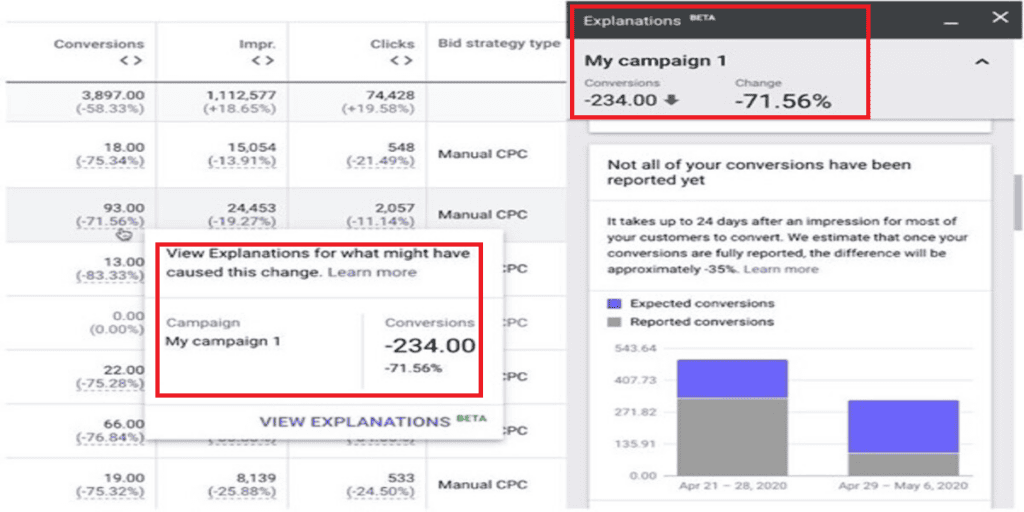
Go to your campaign or ad groups page. Look for blue performance values with a line. Hover over a value and select ‘View explanation’ to understand the change.
This helps to find the reason before making any changes to the campaign.
10 Reasons Your Performance Max Campaign May Be Fluctuating
1. Recent Changes to Campaign Settings
Sometimes the reason behind a performance change is closer than we think.
A change to the budget, bidding strategy, conversion goals, audience signals, location targeting, or ad scheduling can influence how a Performance Max campaign behaves.
For example, imagine a campaign that has been generating leads consistently with a Target CPA. If you suddenly change the target, Google may need to adjust how it approaches bidding and traffic opportunities.
This is why I would avoid making campaign changes at once. When many things change together, it becomes difficult to understand which adjustment actually affected performance.
In Google Ads, go to Campaigns and click Change history, select your Performance Max campaign, and review recent changes to its budget, bidding strategy, conversion goals, and targeting settings.
2. Conversion Tracking Problems and Delayed Data
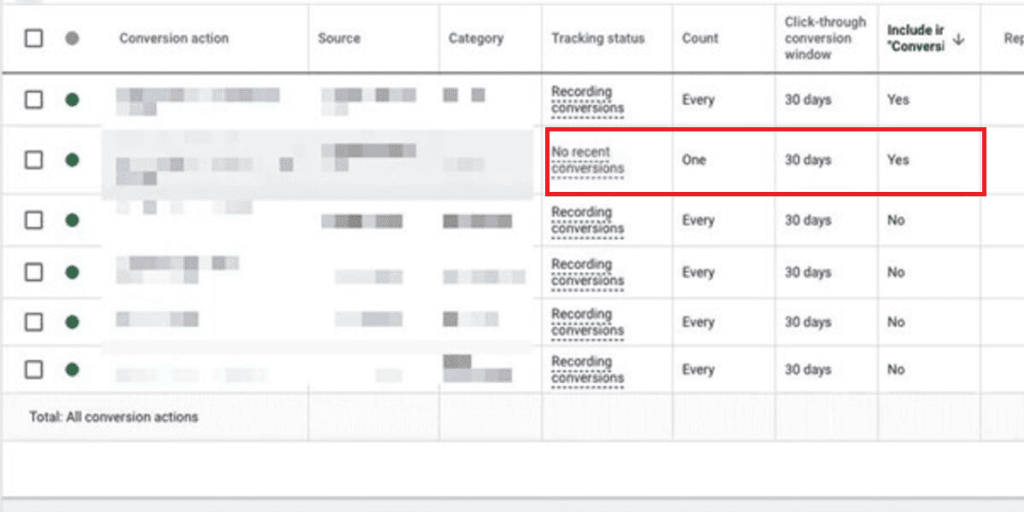
This is one area I would always check before judging a campaign’s performance.
Performance Max relies on conversion data to understand which interactions are contributing to your advertising goals. If conversion tracking stops working or conversion reporting is delayed, the campaign may not receive the signals it needs at the expected time.
Google’s guidance highlights that at least 15 conversions over 30 days help support more stable Performance Max performance.
However, this should not be treated as a guarantee of results. Conversion volume, tracking quality, and reporting delays all matter.
For example, a customer might click an advertisement today. Complete a purchase several days later. If you are checking the campaign before that conversion is reported, the results may temporarily look weaker than they actually are.
I would check GA4, Google Ads conversion actions, and Google Tag Manager to make sure the tracking setup is working as expected.
In Google Ads, go to Goals, then go to Conversions, click Summary, select the conversion action you want to check, and open Diagnostics to review its tracking status, data issues, and warnings.
3. Bidding Strategy and Target Changes
Your bidding strategy plays a role in how Google spends your advertising budget. Performance Max uses smart bidding to find opportunities based on your campaign goals. However, setting a target CPA or target ROAS can make it difficult for the campaign to find suitable opportunities.
For example, imagine your campaign has historically achieved a $50 CPA. You suddenly change the target to $20.
Although a lower acquisition cost sounds attractive, the system may have opportunities that meet the new target.
Before changing bidding targets, I would compare them with historical campaign performance and actual business expectations.
In Google Ads, open your Performance Max campaign, go to Settings, select Bidding, and review the selected bidding strategy and its target CPA or target ROAS.
4. Limited Campaign Budget
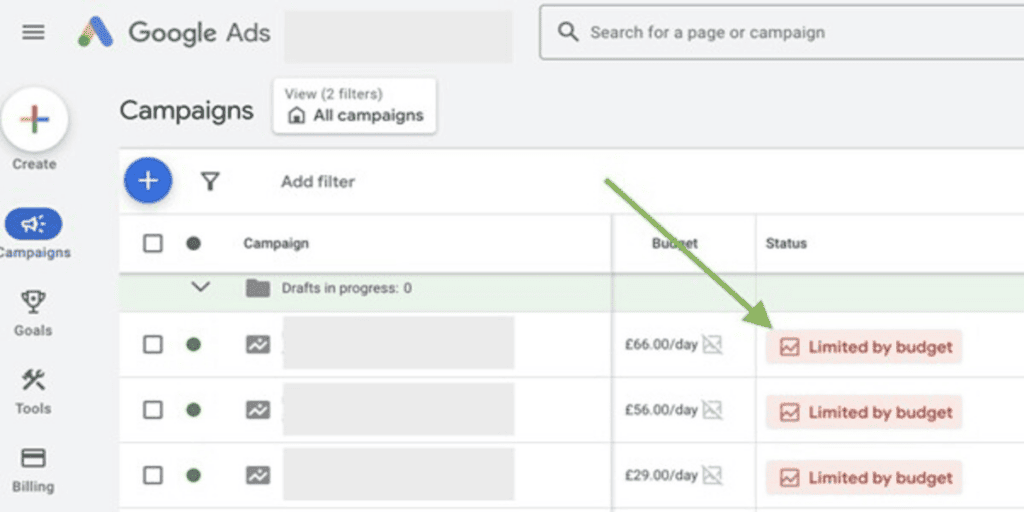
A limited budget can also affect campaign performance.
If your campaign regularly reaches its budget limit, Google may not have room to participate in all the opportunities that could help achieve your goals.
On the other hand, increasing the budget without understanding conversion quality is not always the right solution.
I would first look at spending patterns, conversion volume, and the value generated by the campaign. The goal should be to give the campaign a budget, not simply spend more.
In Google Ads, open Campaigns, find your Performance Max campaign, and check the Budget and Status columns. If the status shows limited by budget, review Google’s suggested budget and consider increasing your daily budget.
5. Creative Coverage and Asset Diversity
Performance Max uses different advertising placements and formats to reach potential customers.
That means your text, images, videos, headlines, and descriptions all contribute to how your campaign can appear across Google’s advertising inventory.
Imagine uploading a few images and using similar headlines across an asset group. Your campaign may have creative combinations to work with.
I would review the asset groups. Look for opportunities to improve creative variety.
Consider adding different image formats, relevant headlines and descriptions, videos explaining your products or services, clear calls to action, and creative variations that highlight customer benefits.
The important thing is to provide creative options rather than uploading multiple assets that communicate exactly the same message.
In Google Ads, open Campaigns, select your Performance Max campaign, go to Asset groups, and select an asset group to review its headlines, descriptions, images, and videos. Also check the Ad Strength rating to see whether your asset group needs more variety.
6. Location, Language and Audience Targeting
Targeting settings can influence how many potential customers your campaign can reach.
For example, a business targeting a small geographical area may have fewer available advertising opportunities than one targeting a larger market.
There can be multiple campaigns competing for auction opportunities.
If I see a drop in traffic or spend, I will check campaign location and language settings. I will also check to see if there are multiple campaigns targeting the audience.
It is intended to open the way to the campaign to reach customers and not close it down.
In Google Ads, open your Performance Max campaign and select Settings to review locations and languages; to check audience signals, go to Asset groups, edit an asset group, and review its audience signals.
7. Ad Policy Reviews and Asset Approval
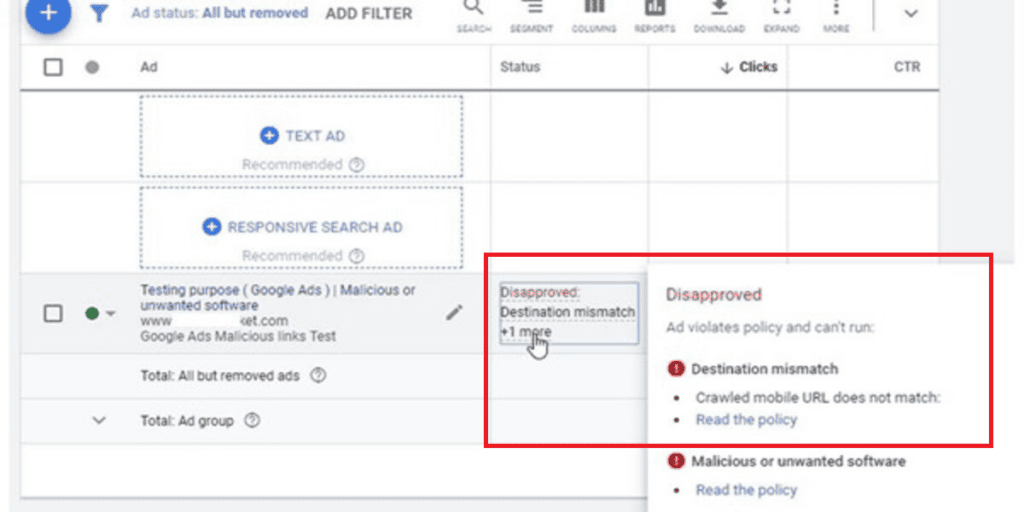
Another thing advertisers sometimes overlook is the policy review process.
Whenever you add or edit assets or asset groups, Google may submit those assets for another policy review.
If some of your assets are disapproved or restricted, it can affect advertising opportunities.
I would regularly check the asset group status. Review any policy notifications in the Google Ads account.
This is especially important when you update material for promotions, special offers, or new product launches.
In Google Ads, open your Performance Max campaign, then move to Asset groups, view asset details, and check the Status column to identify approved, disapproved, or limited assets and review any policy issues.
8. Billing and Other Account-Level Issues
Not every performance problem comes from campaign settings.
Sometimes the issue may be related to payments, billing transfers, or other account‑level problems.
For example, if there is a payment issue, it may affect advertising delivery across the account.
When investigating spending or delivery changes, you should also check account notifications, billing status, and payment information.
It is a check but one worth including in the troubleshooting process.
In Google Ads, open Billing, then navigate to Summary to check payment activity, outstanding balances, and payment alerts. If Google requests payment verification, follow the notification shown in your account.
9. Changes in the Advertising Auction
Your campaign does not operate in isolation.
Other advertisers also compete for the attention of potential customers. The budget, bidding strategy, and activity of the campaign can influence the auction opportunities.
For example, if many businesses begin advertising during a shopping period, competition can rise. Your campaign might then see changes in cost and performance even if the campaign settings remain unchanged.
This is why you should not automatically think that every rise in advertising costs is because of a problem in your campaign.
Sometimes the competitive environment changes.
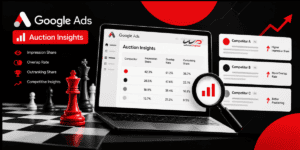
In Google Ads, open Campaigns, select your Performance Max campaign, and click Auction insights to review impression share, overlap rate, and outranking share, and compare your campaign’s visibility with other advertisers.
10. External Market and Customer Demand Changes
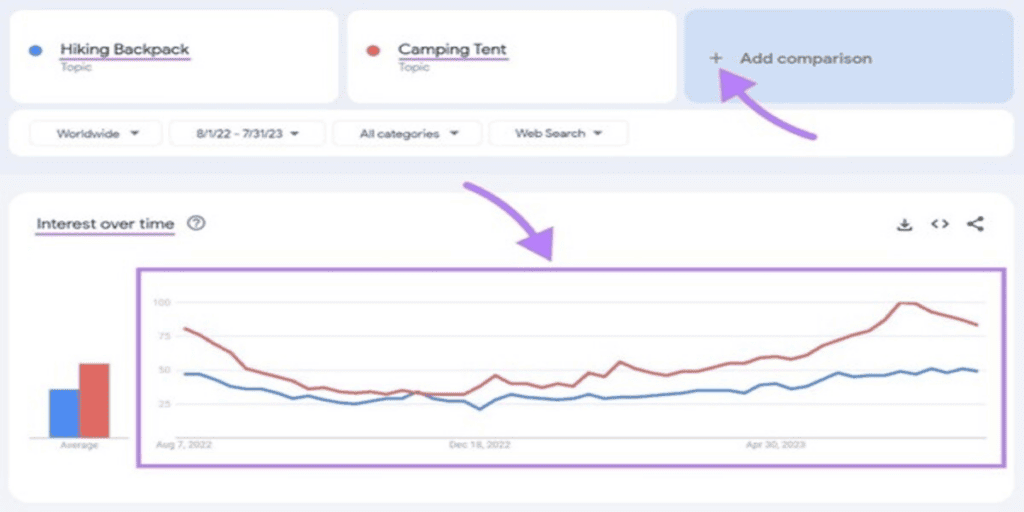
Customer behaviour is not always the same during the year.
Demand can increase during sales periods and special events. It can also decline when customers lose interest in a product or service.
These changes can impact how much you spend, how much traffic you get, and how many conversions you have.
Google suggests using Google Trends to see if interest in search terms or products has gone up or down.
If demand goes up quickly, advertisers can check their keyword bidding targets and budget limits to control spending.
If demand goes down, trying to reach people or moving budgets to products and services that have more demand might be a good idea.
In Google Ads, open your Performance Max campaign, go to Insights, and review Search trends and Search terms insights to identify changes in customer interest; you can also compare search demand using Google Trends
For support with Performance Max (PMax) campaign performance and fluctuations, get in touch with our WhiteDigital team. We’re here to help you analyse campaign performance and identify opportunities for improvement.