
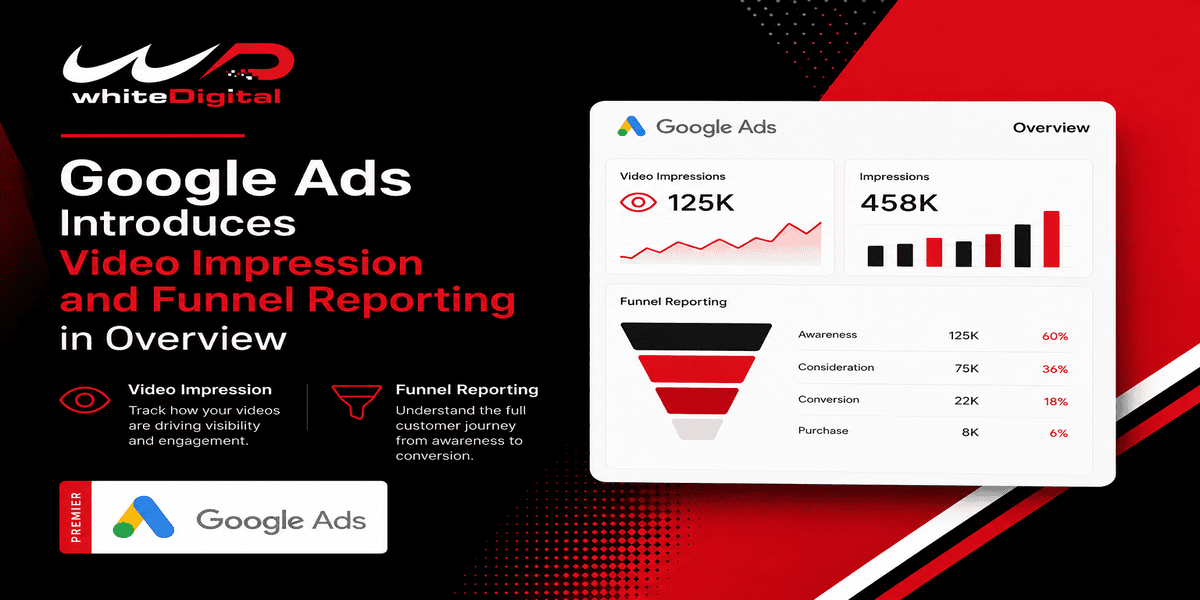
Google Ads is helping advertisers see how their campaigns help customers on their journey. The Overview page now has video impressions in conversion path analysis and a new Performance by stage card that shows campaign results across awareness, consideration and action.
Video Impressions Now Appear in Conversion Paths
The Conversion paths card in Google Ads now has video impressions. This helps advertisers see how earlier video ad exposure might lead to conversions.
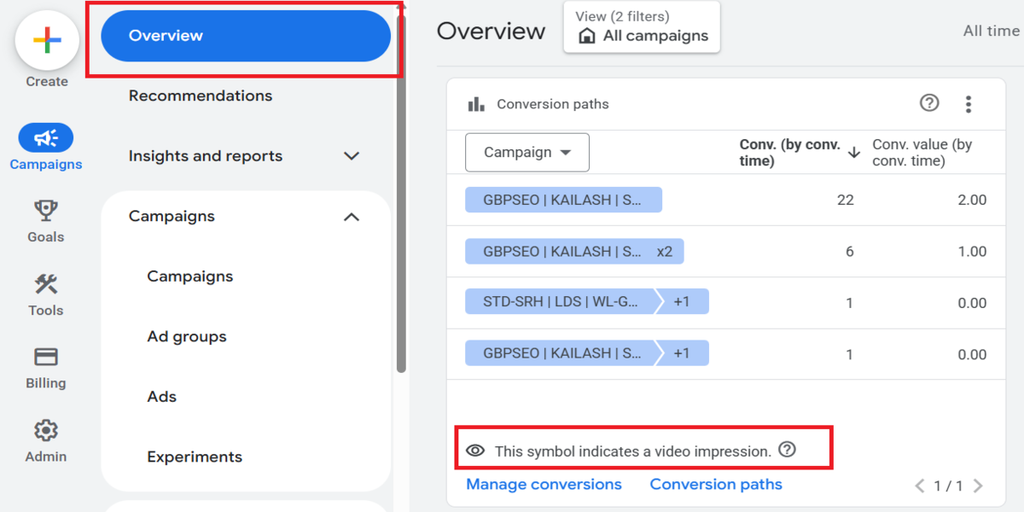
Video impressions have an eye icon to set them apart from video views. This gives advertisers a picture of what happens before someone finishes a conversion.
There is a big problem. Video impressions in conversion paths are for eligible web conversions. Conversions from Google Analytics 4 (GA4) are not included.
A New Performance by Stage Card
Google Ads has added a Performance by Stage card. This card groups campaign metrics into three parts of the marketing funnel.
Awareness
Advertisers can review impressions, cost per thousand impressions (CPM), frequency, which shows how many times people see an ad on average, unique reach, which estimates the number of different people who see it, and awareness lift, which measures whether the campaign improves people’s awareness of the brand. This helps understand how campaigns reach customers.
Consideration
This part includes video views, cost per view, completed video plays, branded searches from Search Lift, and view-through conversions. These metrics help understand how people engage with video ads and the impact those ads have on brand awareness and conversions.
Action
Advertisers can check cost per action (CPA) to understand campaign results. This helps see the results from their campaigns. The card can also include Brand Lift, which measures changes in brand awareness, Search Lift, which measures increases in searches for a brand, and Conversion Lift, which measures additional conversions generated by ads.
Where to Find These Features in Google Ads
Advertisers can access these reporting features from the Google Ads Overview page.
To view video impressions in conversion paths:
- Sign in to your Google Ads account.
- Select Campaigns.
- Open Overview at the account or campaign level.
- Look for the Conversion paths card.
- Look for the eye icon. That shows video impressions
To see performance by stage:
- Open the Overview page in Google Ads.
- Find the performance by stage card.
- Review the metrics grouped under Awareness, Consideration, and Action.
The available cards and metrics may vary depending on your account, campaigns, and measurement setup. Video impressions in conversion paths are currently shown for eligible web conversions; conversions imported from GA4 are excluded.
What This Means for Advertisers
For PPC agencies managing search, YouTube, and Demand Gen campaigns, these reporting improvements can make campaign analysis more useful. Instead of just looking at clicks and conversions advertisers can see how campaigns help at different points in the customer journey.
For example, a video campaign might help people know a brand before they search for its products and then convert. The new reporting helps advertisers see more of that path.
An impression in a conversion path does not mean it caused the conversion. Agencies should use attribution data with numbers and use lift studies, when possible, to check real impact.
Advertisers can view the cards on the Google Ads Overview page and compare how they perform across the stages. They should also verify their conversion tracking. Make sure their sources are eligible for video impression reporting.
Final Thoughts
Google Ads reporting features help advertisers better understand campaign performance across the customer journey. Reviewing these insights can help PPC teams make more informed advertising decisions.
Need help improving your Google Ads performance? Contact White Digital Team for PPC campaign audits, tracking support, and campaign optimization services.