
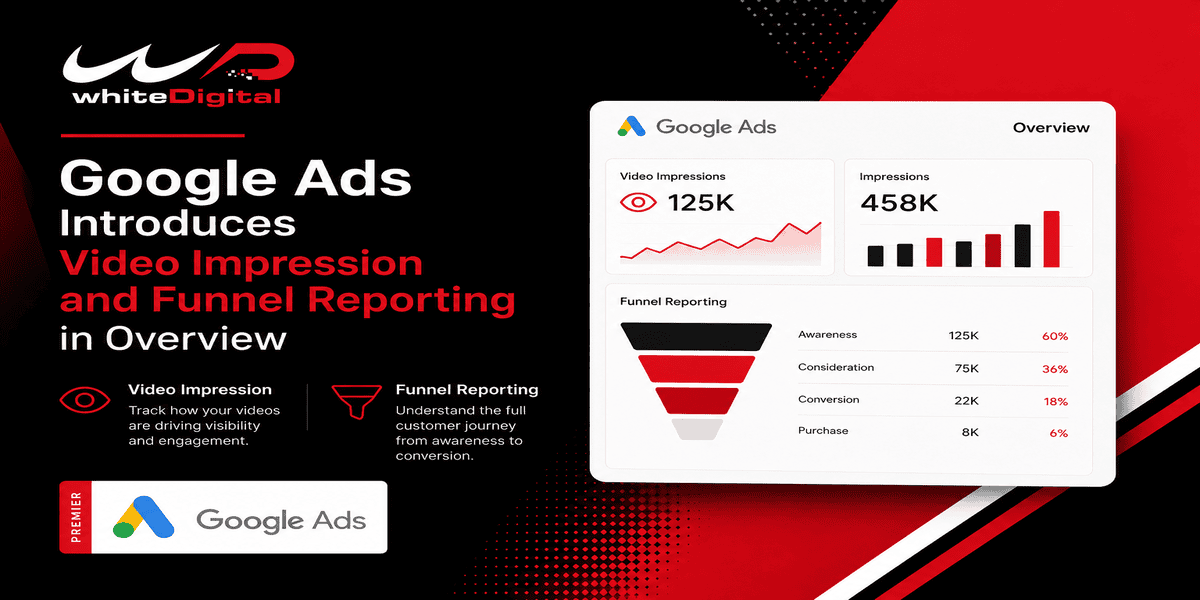
When I review Google Ads campaign performance, I don’t want to focus only on clicks and conversions. A customer might see a YouTube ad today, search for the business a few days later, and then convert through a search campaign. If I look only at the final conversion, I could miss part of that journey.
That’s why I find Google’s video impression reporting and performance by stage updates interesting. They give advertisers more ways to explore how campaigns support awareness, consideration, and action. However, I would check the available metrics and conversion tracking before using this data to make budget decisions.
Video Impressions Now Appear in Conversion Paths
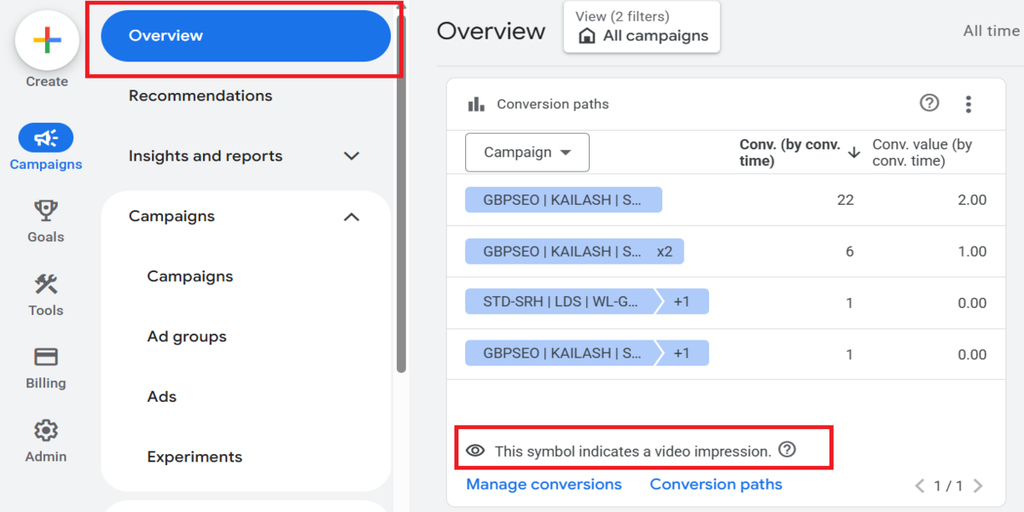
When I look at the conversion paths card in Google Ads, I want to understand which interactions appear before a conversion. Video impressions now appear in this report, helping advertisers see when video ad exposure is included in an eligible conversion path.
An eye icon distinguishes video impressions from video views. I find this distinction useful because an ad being shown and someone watching a video are two different things. When reviewing a conversion path, I would look for this icon to understand whether a video impression appeared earlier in the recorded customer journey.
How I Would Check Video Impressions in Conversion Paths
Sign in to Google Ads, go to the Campaigns and Overview section, and look for the Conversion Paths card. The eye icon identifies video impressions.
There is one important limitation. Video impressions in conversion paths are for eligible web conversions. Conversions from Google Analytics 4 (GA4) are not included.
A New Performance by Stage Card in Google Ads
When I evaluate campaigns, I find it useful to separate awareness, consideration, and action rather than judge every campaign by the same metric. Google’s new Performance by Stage card groups reporting metrics into these three marketing funnel stages.
Awareness
For awareness campaigns, I would check impressions, CPM, frequency, and reach to understand how many people see the ads and how often they see them. Awareness lift can also help measure changes in brand awareness. For clients launching a product, I would focus on reaching more people rather than expecting immediate sales.
Consideration
At the consideration stage, I would look at video views, cost per view, videos played to completion, and branded searches when Search Lift is view-through conversions. These metrics can help me understand whether people are engaging with video campaigns
Action
When reviewing the action stage, I would check conversions and cost per action (CPA) to see whether campaigns are meeting the clients’ goals. The card may also show Search Lift, which measures increases in searches for a brand, and Conversion Lift, which estimates the conversions generated by ads.
I would compare these results with the campaign’s objective, whether it is building awareness, generating leads, or increasing sales.
Which Clients Could Benefit from Performance by Stage Reporting?
I think this feature is useful for businesses promoting their brands, e-commerce businesses looking to increase sales, and B2B companies generating leads. I would use awareness metrics to understand audience reach, consideration metrics to review engagement, and action metrics to evaluate conversions. This helps me understand campaign performance based on each client’s advertising goals.
How I Would Check Performance by Stage in Google Ads:
Open the Google Ads Overview page, find the Performance by stage card, and review the metrics grouped under Awareness, Consideration, and Action.
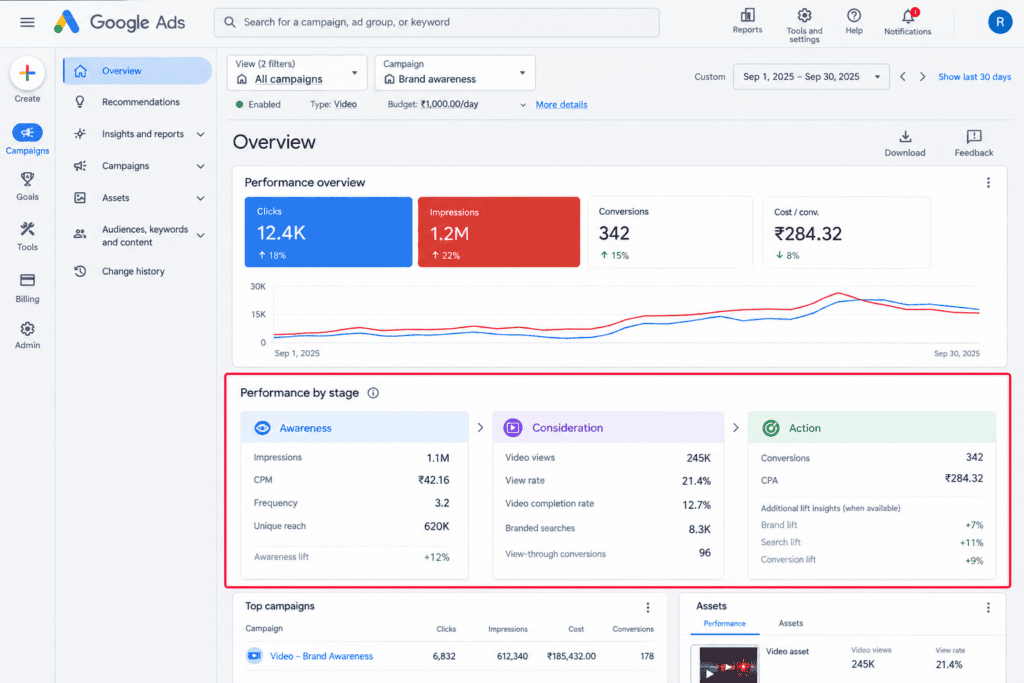
The available cards and metrics may vary depending on your account, campaigns, and measurement setup.
What This Means for Advertisers
For me, the biggest benefit of these reporting updates is the opportunity to understand more of the customer journey. This can be especially useful for advertisers who are managing Search, YouTube, and Demand Gen campaigns for clients.
For example, a video campaign might help people know a brand before they search for its products and then convert. The new reporting helps advertisers see more of that path.
An impression in a conversion path does not mean it caused the conversion. In my opinion, advertisers should use attribution data with numbers and use lift studies, when possible, to check real impact.
Advertisers can view the cards on the Google Ads Overview page and compare how they perform across the stages. They should also verify their conversion tracking. Make sure their sources are eligible for video impression reporting.
My Take on These Reporting Updates
I think Google Ads new reporting features are useful because they encourage advertisers to look beyond the final conversion. A campaign might support awareness or consideration even when it does not immediately generate a lead or sale.
At the same time, I wouldn’t change a client’s budget just because a new reporting card shows more data. I would look at the campaign objective, conversion quality, cost, and measurement limitations together.
For me, better reporting is valuable when it helps answer a practical question: What role is this campaign playing, and is that role helping the business reach its goals?
Need help improving your Google Ads performance? Contact White Digital Team for PPC campaign audits, tracking support, and campaign optimization services.