
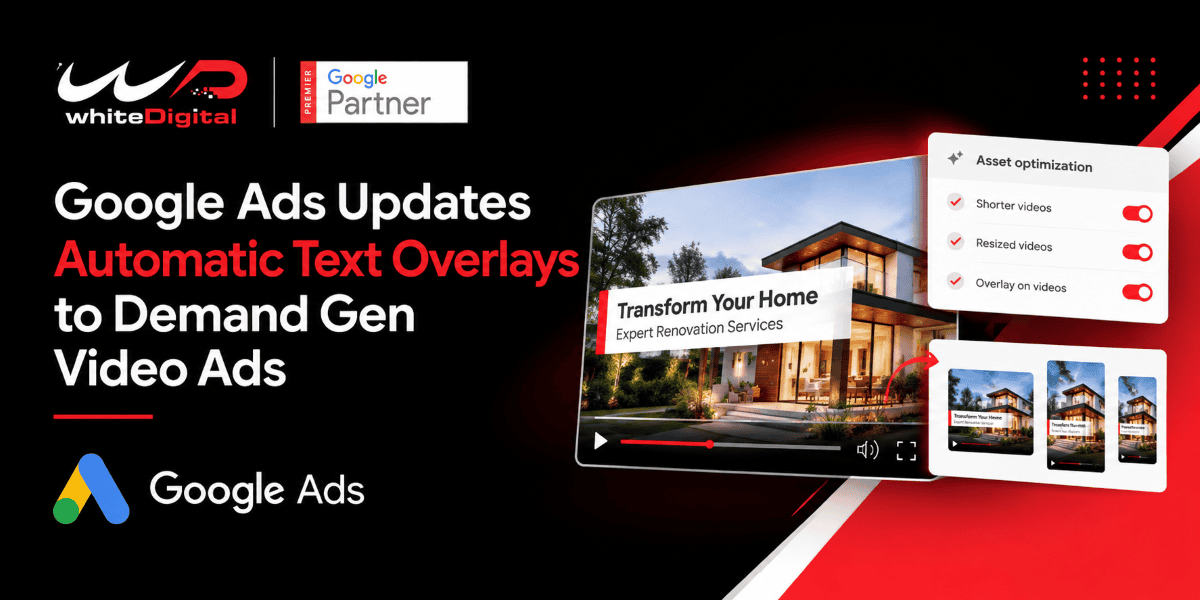
Google Ads is introducing a new “Overlay on videos” asset optimization setting for Demand Gen campaigns. The feature allows Google to add text to video ads using text assets already available in the campaign.
When I look at this update from an advertiser’s perspective, the interesting part is how Google can bring existing campaign messaging directly into a video. This could save some manual editing, but I would still want to check how the text appears before letting it run in a live campaign.
Overlay on Videos Feature in Google Ads Demand Gen Campaigns
The “Overlay on videos” setting allows text messaging to appear over a video ad. Instead of relying only on the video footage, voiceover, or accompanying ad copy, advertisers can use the feature to bring key messages directly into the creative.
For instance, a home renovation business might use a headline such as “Transform Your Home” in its Demand Gen campaign. When text overlays are turned on, the message can appear over the video. Help viewers understand the service being promoted.
The goal is to make campaign messaging visible inside the video. Advertisers should still check that text overlays are readable and that they do not cover visual elements.
How the Feature Works in Google Ads Demand Gen Campaigns
The new setting is reported to appear in the Asset optimization section of Demand Gen video ads, alongside existing options for creating shorter videos and resizing videos for different formats.
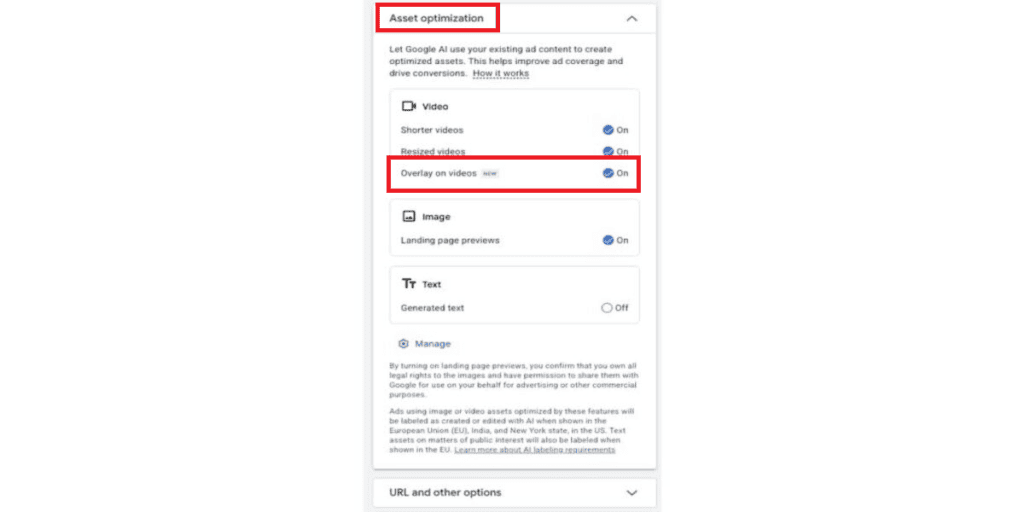
When the overlay option is enabled, Google can use available campaign text assets to add messaging to video creatives. This may reduce the need to create and edit a separate video for every message, although advertisers should review the resulting ads before they run.
For advertisers, the main thing to check is how the text fits into the video. Does it cover an important product detail? Is it easy to read on a smaller screen? Does it match the message of the original creative? These are the details I would review before relying on automatic overlays.
Three Things I’d Check Before Using Automatic Overlays on Demand Gen Campaigns
Automatic text overlays can save editing time. I would check a few things before using automatic text overlays in a live Demand Gen campaign.
1. Does the Text Cover Important Visuals?
A headline might look good on its own. Could distract when placed over a video. For example, if a home renovation video shows the kitchen, the text should not cover the cabinets or other important details. The message should support the visuals, not compete with them.
2. Is the Text Easy to Read on Mobile Screens?
Demand Gen videos can appear across placements and screen sizes. I would check whether the text overlay remains readable on a screen and whether it stays visible long enough for viewers to understand the message. If the text is too small. The background makes it difficult to read the text overlay may not be useful.
3. Does the Message Match the Video?
Google can use existing campaign text assets. Not every headline will suit every video. A headline promoting a discount, for example, may not fit a video focused on explaining a product’s features. I would review the text and the footage together to make sure the final creative communicates the message.
How to Enable the Overlay on Videos Setting in Google Ads Demand Gen Campaigns
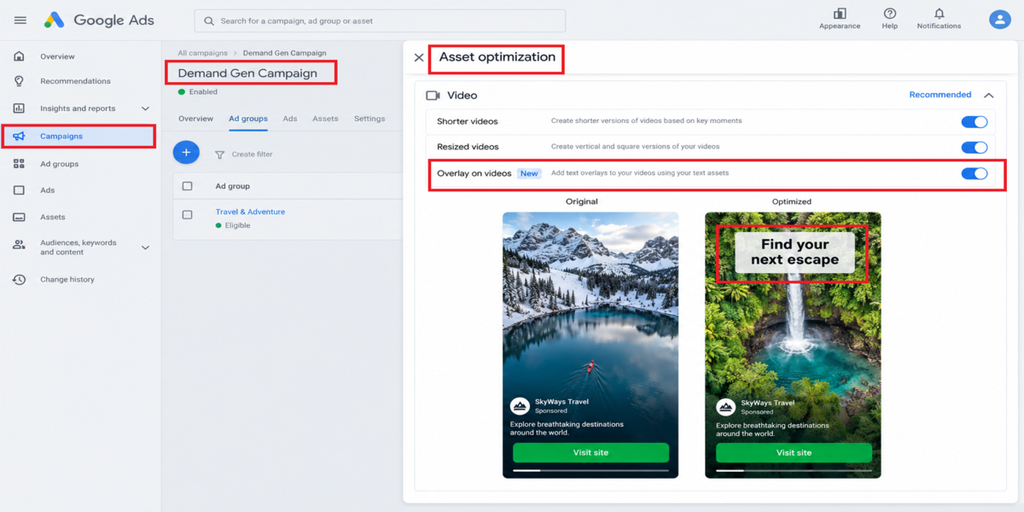
- Sign in to Google Ads and open Campaigns.
- Choose the Demand Gen campaign and ad group you want.
- Open the video ad creation or editing interface. For a new ad, select Create new ad, then choose Video ad.
- Find the Asset optimization section at the bottom of the Media card.
- Under Video, look for Overlay on videos
- Tap the toggle next to ‘Overlay’ to turn on Overlay for videos. If you don’t want Google to add text to your videos, turn the toggle off.
- Review the ad. Preview the optimized creative, if possible, before posting.
- If the feature is enabled, review the video preview to see how Google applies text from your existing campaign assets
Will Text Overlays Improve Google Ads Campaign Performance?
I think this feature could be useful for advertisers who want to test variations without manually editing every video. However, I would not enable automatic text overlays across all campaigns without checking how the text overlays look and whether they suit the campaign.
To understand whether the feature makes a difference, I would compare the video with the version that uses text overlays. I would then monitor metrics such as click-through rate (CTR), conversion rate, and cost per conversion. Comparing results under the same conditions can help advertisers understand whether the text overlay change is contributing to better performance.
A text overlay might make a promotion easier to notice. That does not automatically mean more people will convert. For me, the goal is to use automation to simplify testing while keeping control of the message and the quality of the final ad.
Looking to get more out of your Google Ads campaigns or improve your Demand Gen performance? Reach out to our team to talk about your PPC campaign goals, creative optimization, and ad performance.