

When an advertiser creates a Google Search campaign, they usually have to decide several important points before the campaign goes live. The advertiser must pick keywords, write ad copy, choose a landing page, and decide how automation in Google Ads Editor should be used.
Google is now changing one part of that process.
With Google Ads Editor version 2.14 AI Max, text asset automation and final URL expansion are now turned on automatically whenever an advertiser creates a search campaign in the Editor.
This change is important because the advertiser will now begin with AI Max and the other AI features already active, rather than having to choose each option from the start. This does not mean the advertiser loses control of the campaign. It does mean the advertiser must look closely at these settings before publishing.
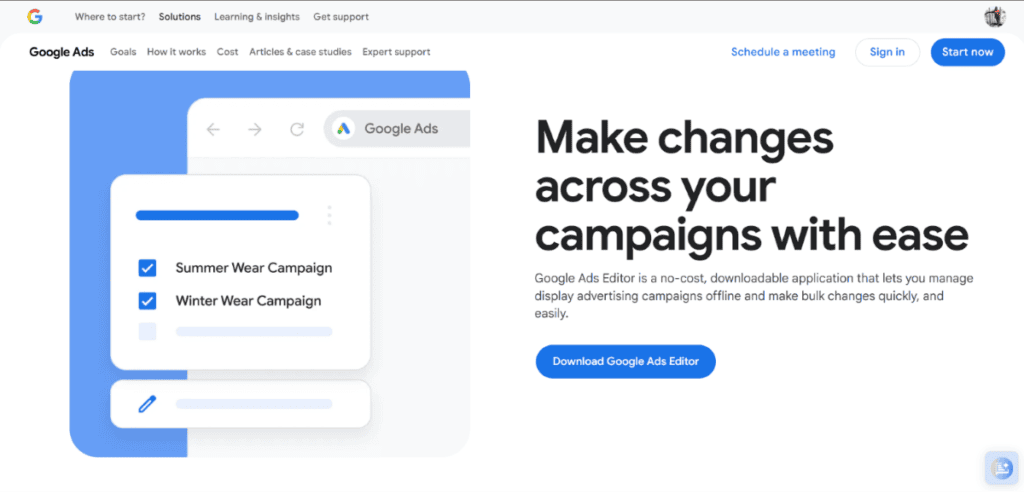
Google Ads Editor 2.14
The main change is that three AI features are turned on by default for every search campaign.
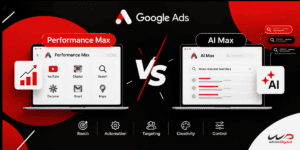
AI Max – AI Max is a layer that improves search campaigns. AI Max helps Google expand search matching and improve campaign assets with AI.
Text asset automation – Google can create headlines and descriptions using the advertiser’s existing ads, keywords, landing pages, and website content.
URL expansion – Google can send users to a more relevant landing page on the advertiser’s website instead of always sending them to the original final URL.
Before, the advertiser had to decide whether to activate these features. With Editor 2.14, the advertiser finds these features already on when a new search campaign is created. Importantly, this announcement applies to new campaigns created in Google Ads Editor. It does not say that all existing search campaigns will automatically have AI Max turned on.
How to Use AI Max in a New Google Search Campaign with Google Ads Editor 2.14
- Open Google Ads Editor 2.14 and download your Google Ads account.
- Create a new search campaign.
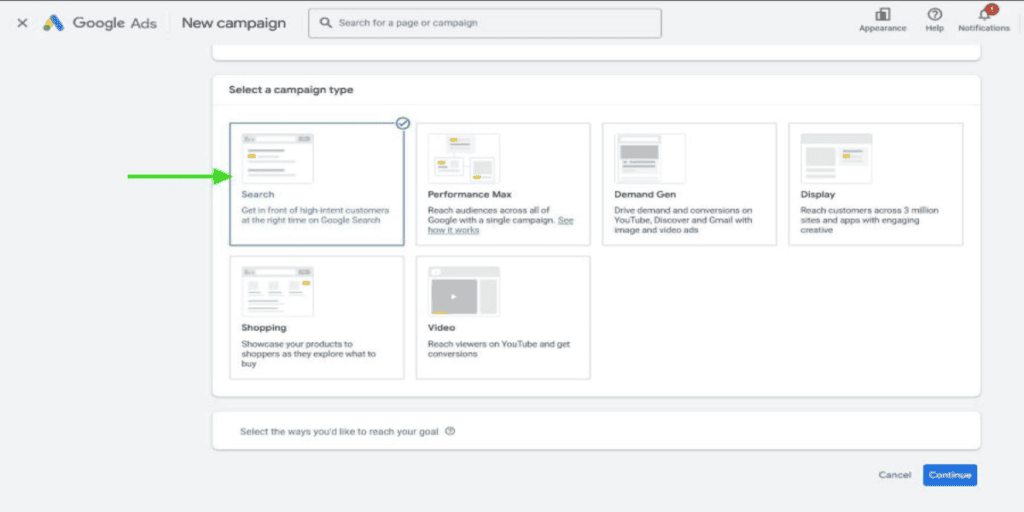
- Enter your campaign name, budget, and bidding strategy.
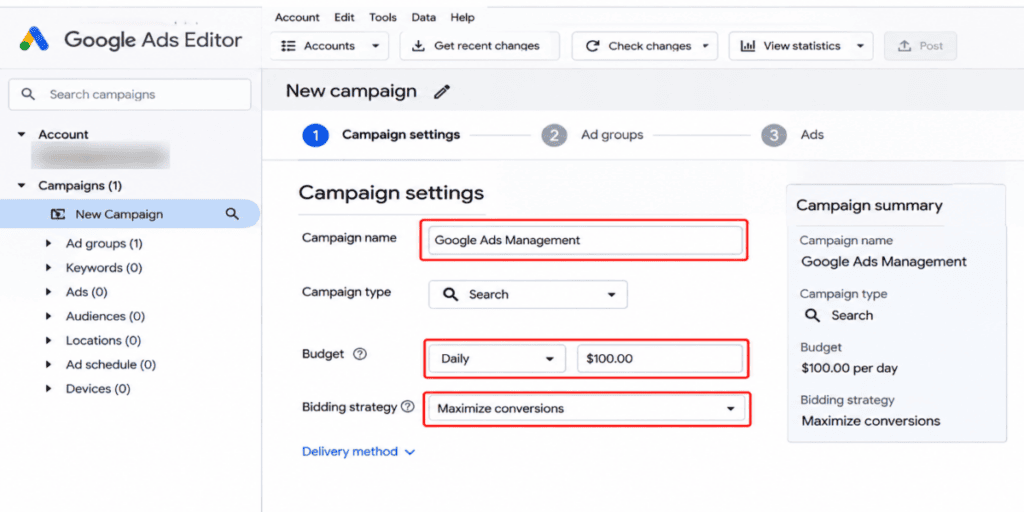
- Check that AI Max is enabled by default.
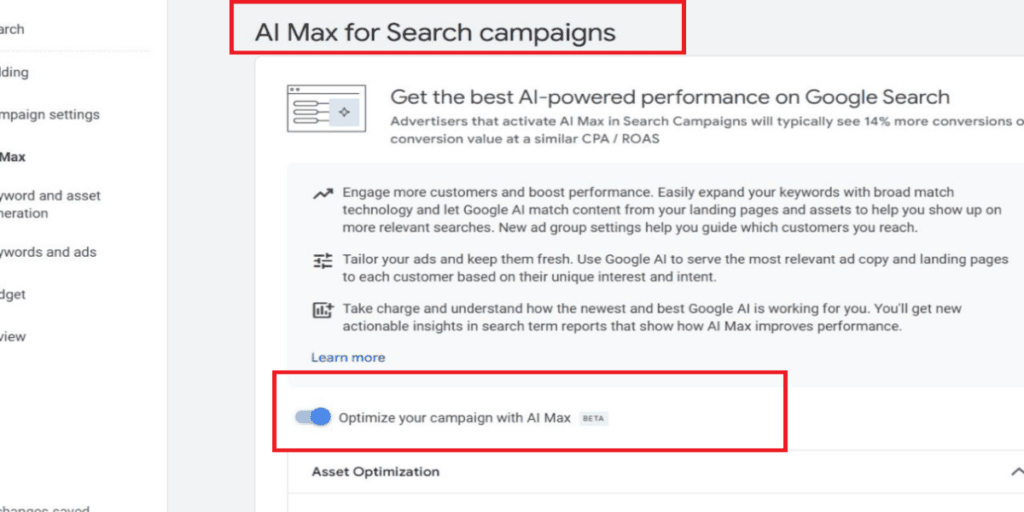
- Review the search term matching settings.
- Add your keywords, headlines, and descriptions.
- Check the text asset automation settings.
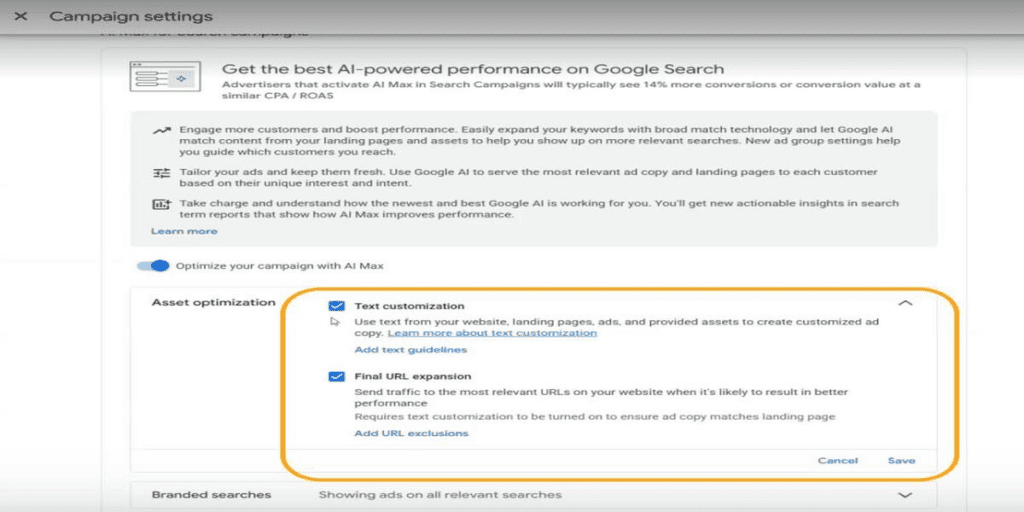
- Review the final URL expansion and exclude unwanted website pages.
- Check all campaign settings and publish your campaign.
- Monitor search terms, ad performance, and conversions after launch
Three Settings Advertisers Should Review Before Publishing
The new defaults make campaign creation easier. The advertiser should not publish a campaign without checking how these features work together.
1. Review AI Max Search Term Matching
AI Max can widen search reach beyond the advertiser’s existing keyword list using match, asset‑based, and landing‑page‑based techniques. This may help the advertiser capture search queries that the advertiser has not added as keywords.
For example, a business that targets the keyword PPC management services may also become eligible for searches about managing paid search campaigns.
However, a broader reach does not automatically mean leads. The advertiser should be checking the Search Terms report regularly to see what queries are triggering the ads. Location settings, URL exclusions, and brand controls can be used by the advertiser to keep the campaign relevant.
2. Check the Headlines Generated Through Text Customization
Text customization lets Google generate headlines and descriptions using information from existing ads, landing pages, keywords, and website content.
For example, if the advertiser’s landing page explains Google Ads management for businesses, Google may create extra ad messages based on that content and the user’s search intent.
This can reduce the amount of copywriting needed.
The advertiser should not overlook that generated ad copy must match the actual service, offer, and landing page. The advertiser should review the asset reports to see which generated headlines and descriptions are serving and how they are performing. The advertiser should. Adjust assets that do not represent the business accurately.
3. Check Where Final URL Expansion Sends Visitors
URL expansion lets Google pick a relevant landing page from the advertiser’s website based on the user’s search.
For example, an advertiser might start with a PPC services page. The website may also hold separate pages for Google Ads audits, white‑label PPC management, and campaign optimization.
Depending on the search query and relevance, Google may pick one of these pages. This can make the match between a customer’s search and the visited page better. Still, not every page on a website is good for paid traffic.
Advertisers should check URL exclusions. Ensure Google does not send visitors to irrelevant pages, blog posts, contact pages, or other destinations that are not meant for the campaign.
Google Ads Editor 2.14 Creating a Search Campaign – Practical Example
Imagine a PPC agency is creating a search campaign to advertise its Google Ads management services.
It wants to reach businesses that look for campaign management.
Here is how the new defaults can affect the campaign setup.
| Campaign element | Advertiser’s setup | What AI Max adds |
| Keywords | Google Ads management | Additional relevant search matching |
| Headlines | Professional Google Ads Management | Additional customized headlines |
| Descriptions | PPC services for growing businesses | More context-based descriptions |
| Landing page | Google Ads management page | Selection of other relevant website URLs |
The advertiser still provides the business information, campaign structure, and original ad assets. Google’s automation can then help enlarge matching opportunities. Adjust the ad experience.
The important part is to measure whether the added reach brings visitors and conversions instead of judging the campaign only by more impressions or clicks.
Other Useful Improvements in Google Ads Editor 2.14
AI Max is not the update in this release. Google has also added improvements that can help advertisers manage campaigns and customer acquisition activities.
New Customer Acquisition and Retention Settings
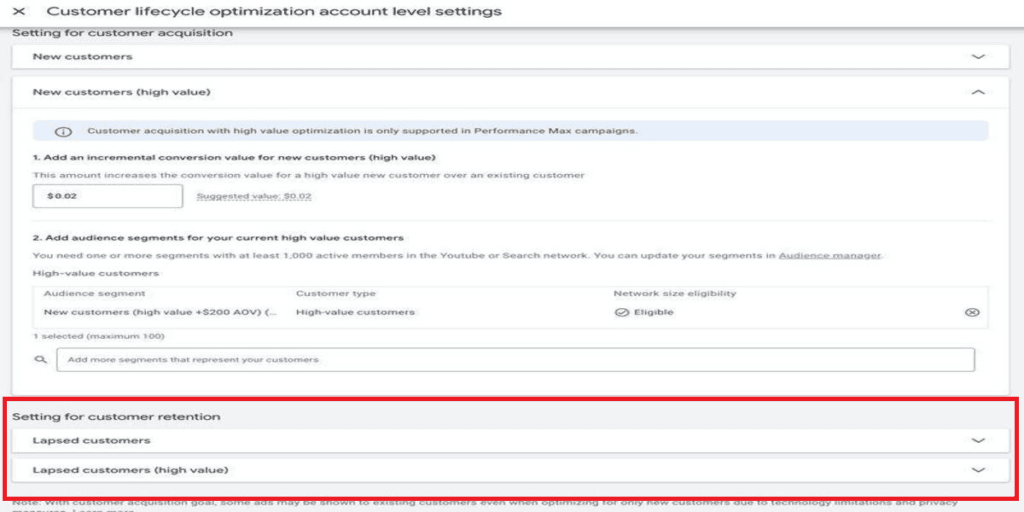
Advertisers can edit account‑level New Customer Acquisition and retention settings for accounts that do not use a conversion tracking parent. They can set values for lapsed and high‑value customers, loyalty value multipliers, and user lists for different customer tiers.
For accounts that use a conversion tracking parent, these settings stay read‑only.
Retention-Only Bidding
Google added a bidding option called “Only bid for lapsed customers.” This gives advertisers another way to focus on customers who have bought before but are no longer active.
Background Account Downloads
Advertisers can now download account data and performance statistics in the background while doing other work in Google Ads Editor.
After an account download, they can either replace the current account data, which discards local edits, or refresh with server data while preserving local edits.
Demand Gen Creative Optimizations
Google Ads Editor now supports animated image asset optimization for Demand Gen image ads and video overlay optimization for Demand Gen video ads. These additions give creative management options directly inside the Editor.
Need help managing your Google Ads campaigns? Contact the whiteDigital team for PPC support, campaign optimization, and better advertising performance