

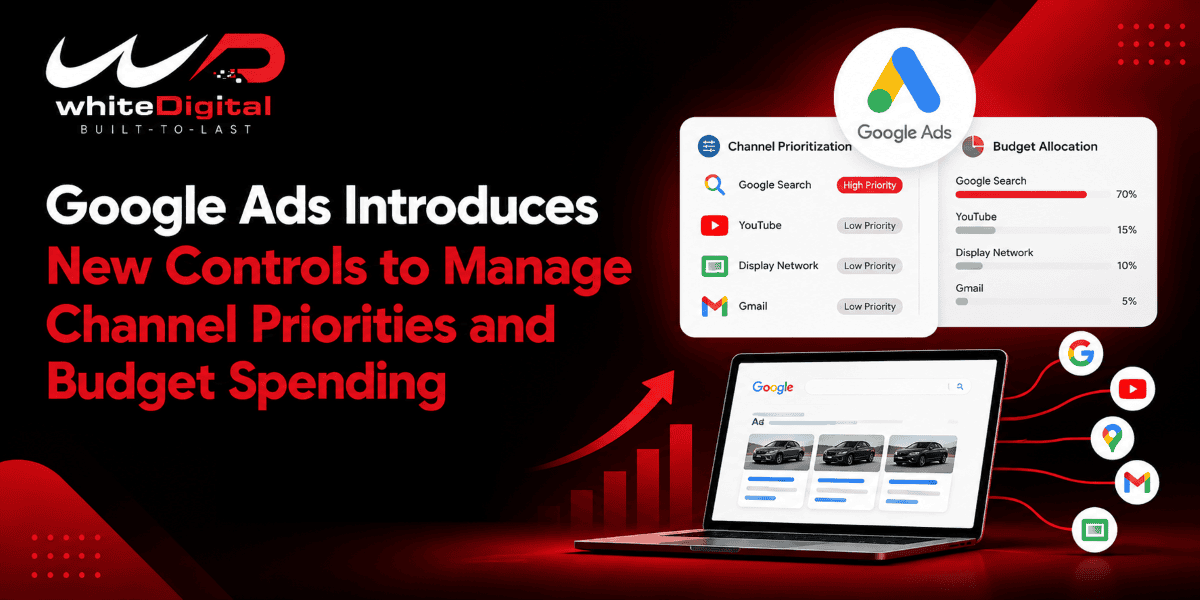
Google Ads is launching new features that will give advertisers greater control over the way that their campaign budgets are spent. The features will allow advertisers to decide which advertising channels should get their budget first and how much budget should be assigned to channels of lower priority.
The update is useful for advertisers who want to gain better control over their spending without entirely switching off certain advertising channels.
According to Google’s announcement, these features are rolling out to Search, Shopping, Performance Max, and Demand Gen campaigns.
What Is Changing in Google Ads?
Google Ads applies automation when deciding where the ads should appear and how the campaign budget should be allocated. For different types of campaigns, ads may be shown on Google Search, on Search partners, on YouTube, in Gmail, in Discover, and on the Google Display Network.
It doesn’t mean that all channels produce the same outcome for all businesses; some advertisers end up getting more leads from Google Search, whereas others find that YouTube or Display ads are more effective in reaching potential customers.
Up to now, advertisers who wished to reduce their spending on a certain channel might have considered switching that channel off completely.
As part of this update, Google is bringing in two new features: Channel Prioritization and Budget Allocation.
1. Channel Prioritization: Decide Which Channels Get Budget First
With Channel Prioritization, advertisers can indicate channels as high priority or low priority.
In simple words, you can tell Google which channels should receive budget first and which channels should receive budget after that.
For instance, suppose you are running Google Ads for a shop that sells furniture. Then your ads appear on Google Search and on the Google Display Network.
You find that the number of people who search for furniture on Google Search brings more sales than the number of people who see your Display ads, and although you still wish to use Display ads but you would like Google to prioritize Search.
Using the new feature, you have the option of giving Google Search a high priority and the Display Network a low priority.
Google will give priority to spending on Search before assigning part of the budget to the less important channel, as determined by the campaign settings and bidding rules.
It doesn’t mean that Google will always allocate the whole budget to Search; the actual amount spent will be determined by the available traffic, the bidding targets, and other factors relating to the campaign.
The primary advantage is that advertisers are able to tell Google which channels are most important to receive the budget first.
2. Budget Allocation: Control Spending on Lower-Priority Channels
Budget Allocation lets advertisers set a target percentage of the budget for lower-priority channels.
Let us now carry on with the example of the furniture store.
Suppose that the daily budget you have for your campaign is $800 and that you would like Google Search to have priority, but at the same time you want to test Display ads without letting them take up too much of your budget.
You might assign Display a 20 per cent budget allocation and make it a low-priority channel.
As a result, Google will aim to spend about $160 from the daily budget on Display.
However, this is an effort-to-allocate model and is not a spending guarantee. Google does not always spend only the allocated percentage amount.
It is also vital to note that the remaining amount will not necessarily be spent in Search automatically.
The model helps the advertiser allocate budget while still giving the lower-priority channels some room to contribute.
How does this new feature benefit advertisers?
One benefit is that advertisers now have options other than spending heavily on a channel or stopping it altogether.
For example, suppose that your Search partners are producing some relevant leads, but they are not performing as well as your Google Search.
In such a situation, instead of turning off your Search partners, you could keep them on, but set their priority level low. In this way, you could experiment with the channel, but give high priority to Google Search.
Such priorities can make it easier for advertisers to manage their campaigns. They would only have to indicate their preferences without constantly adjusting the campaign for budget regulation.
However, a high priority level does not guarantee high conversions or low costs. Advertisers would still have to monitor conversion rate, cost per lead, and ROI in order to determine valuable channels.
Which Google Ads Campaigns Will Be Getting These Features?
The new controls are rolling out on four kinds of campaigns, as per Google.
• Search campaigns
• Shopping campaigns
• Performance Max campaigns
• Demand Gen campaigns
These will be implemented on campaigns and accounts and in shared budgets as well. It will take time to implement this; hence, all options may not be enabled in all accounts yet.
Google has also announced a change that starts in February 2027. It affects Search campaigns that have the Google Display Network turned on. Your Display ads will stay on, but the old way Google splits budget between Search and Display will go away. Because of this, you may see your spending move between channels.
What Should PPC Advertisers Do Next?
I believe that this update is worth giving attention to, as it provides advertisers another means of managing the spending of their campaigns.
First, it is necessary to see what channels bring valuable leads/sales. Based on this data, the advertiser will be able to determine which channels should have the highest priority and which should be allocated less budget.
At the same time, it is necessary not to evaluate channels solely in terms of their immediate results. A channel that brings fewer immediate conversions might also be helpful in finding clients who will convert in the future.
In general, the new Channel Prioritization and Budget Allocation updates provide advertisers with more control over the distribution of their campaign budgets.