
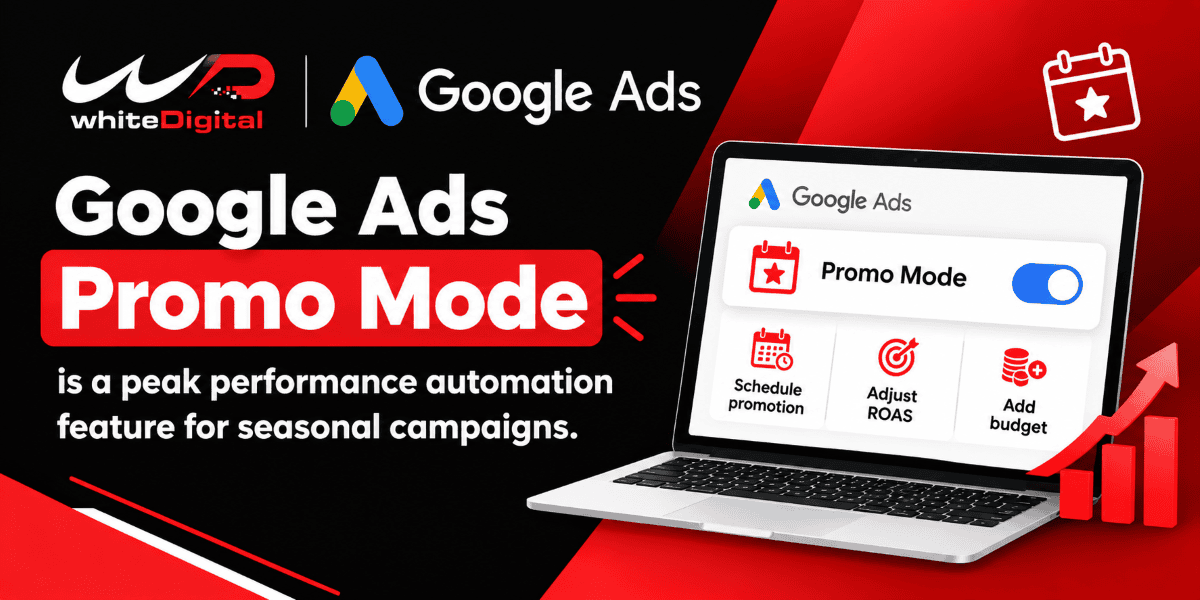
WhiteDigital is a Google Premier Partner and, as such, is provided with Google Ads updates and insights to keep us updated on the latest features and changes to Digital advertising. Recently, we stumbled upon some early information about a new feature of Google Ads that will enable advertisers to seize more opportunities when it comes to seasonal promotions: Promo Mode. I wanted to share this because it might be helpful for advertisers who are planning on advertising around product launches, flash sales, and holiday sales.
One of the challenges I always found when I run Google Ads campaigns is how to drive more traffic to a site for a limited time without impacting the site’s normal performance once the sale is over. One of the problems is to increase the budget, but one other problem is to get enough additional conversions while keeping return on ad spend (ROAS) in check.
This is where Promo Mode may come in. Google has revealed that they have introduced Promo Mode as a beta feature for advertisers to temporarily adjust their ROAS tolerance and add an additional amount of budget to their ads during high-demand times. Let’s see how it works and how it is different from the current way.
Google Ads Promo Mode
The goal of Promo Mode is to drive traffic and conversions during the promotion period.
Promo Mode and Smart Bidding Exploration complement each other to discover opportunities to connect with potential customers.
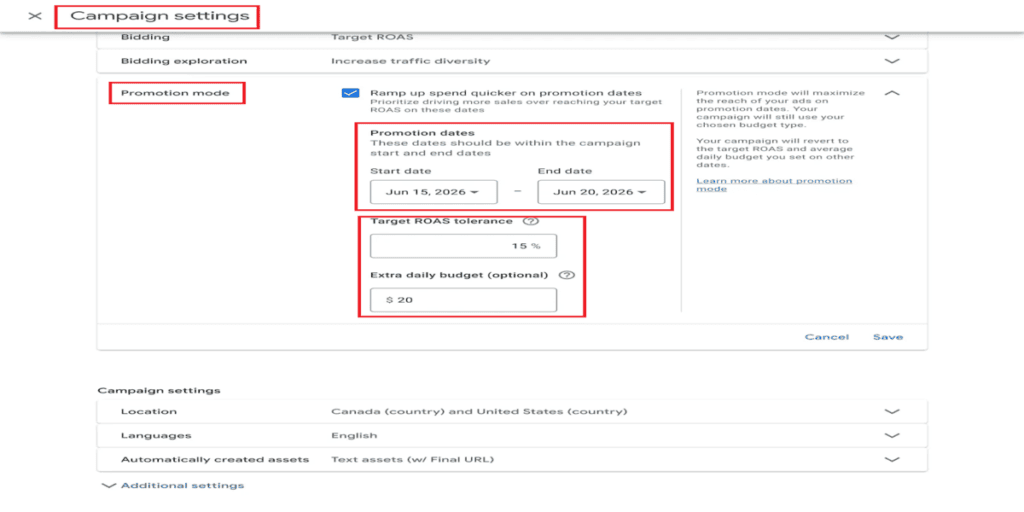
Advertisers can adjust their ROAS target and set the daily budget ahead of time for the promotion, which is done manually. Useful for festive sales and other limited-time offers, Promo Mode provides up to 14 days of customizable periods.
How Does Promo Mode Work?
1. Schedule the Promotion in Advance
The first thing to do is to plan the campaign in advance before the promotion. Advertisers can book their promotion dates in advance and set the Budgets and ROAS goal before the ad campaign.
In the case of a 4-day sale period, for instance, I can set up the changes prior to the sale, rather than making changes at the last minute.
This is particularly useful for advertisers who are running several campaigns for various clients, and each campaign has a distinct promotion date.
2. Use Opportunistic Bidding During the Promotion
Promo Mode in the promotion phase enables Smart Bidding Exploration to capitalize on more conversion opportunities. Advertisers can lower their ROAS goal by 5-90% and boost their daily budget.
For instance, during Black Friday promotions, I might wish to target additional customers who are looking for promotions. This versatility might be able to assist me in bringing in additional visitors and conversions.
I would keep an eye on spend, conversion value, ROAS, and quality of leads, however, to see if it’s performing well.
3. Return to Normal Settings Automatically
Promo Mode is intended to automatically switch back to the original budget and ROAS settings at the end of the promotion.
For instance, if I expand the budget for a campaign that is a 3-day sale, it can return to its normal parameters at the end of that sale. This way I’ll save myself from doing this manually and won’t need to spend additional cash post-promotion.
Promo Mode Different from Seasonality Adjustments
Google Ads already has seasonality adjustments, but they work differently from Promo Mode.
Seasonality Adjustments is a feature I use when I know there is a temporary spike in conversion rates that could be due to a special event or sale.
The other mode is Promo Mode, which allows me to change the ROAS targets and add budget for a short period of time to drive traffic.
Simply put, the Seasonality Adjustments feature enables Google Ads to better adjust to conversion rate fluctuations, and the Promo Mode feature enables advertisers to look at additional opportunities when they’re promoting.
What Does the ROAS Flexibility Mean for Advertisers?
ROAS is particularly significant when I seek to gauge the profitability of my advertisements over the expense.
Promo mode lets you go up to 5% – 90% off. I would carefully select this setting as larger decreases could result in more traffic, which could impact campaign profitability.
For ecommerce campaigns, I’d be tracking sales and profit. If it’s lead generation, I would see if the extra leads are pertinent and will turn into customers.
Which Campaigns Could Benefit from Google Ads Promo Mode?
As campaign types use Search and Performance Max.
The feature might be valuable for the following,
- Retail and e-commerce – Grab extra retail or e-commerce sales during Black Friday, Cyber Monday, and seasonal sales.
- Travel companies – Create campaigns for booking windows and busy times.
- Product launches – Extend the availability of campaigns to buyers during product launches.
- Businesses that generate leads – Take advantage of enquiry opportunities on a limited time basis.
Advertisers Should Check Before Using Google Ads Promo Mode
- Conversions, qualified leads, and conversion values should be accurately captured in conversion tracking.
- The promotion period should correspond to the effective period of promotion.
- Ensure there is enough budget to cover the extra advertising.
- The ROAS target reduction should be correlated to the profit targets of the business.
- During the promotion, campaign spending, conversions, conversion value, and ROAS should be monitored.
- Once the promotion has been completed, check that the campaign is back to its original state and look at the campaign overview.
How to check the availability of Google Ads Promo Mode
- Log in to Google Ads.
- Click on Open Campaigns and then a Search or Performance Max campaign.
- Click the settings of the campaign.
- Check the promotion mode settings.
- If available, click on it to see the available options for promotion dates, ROAS flexibility, and more budget.
My Take on Google Ads Promo Mode
The thing that interests me most about Promo Mode is that it combines the scheduling, ROAS adjustments, and budget changes in one process.
However, I would still check whether the extra spending brings more valuable conversions and better results for the business.
Promo Mode is rolling out, so I recommend checking to confirm whether it is available in your account. Planning your seasonal campaigns and deciding how much ROAS flexibility you can accept can help you prepare.
Promo Mode could make managing short-term promotions easier while keeping campaign goals in mind.
For help with Google Ads campaigns, budgets, and bidding strategies, contact WhiteDigital.